18+ · Fantasy cricket is a skill-based game. State restrictions apply in Assam, Odisha, Telangana, Andhra Pradesh, Tamil Nadu, and Sikkim. Play responsibly.
Install · PlayerzPot download

PlayerzPot download: the official install path for Android, iOS, and mobile web

PlayerzPot supports Android (APK), iOS (App Store), and mobile web. This page lists the install steps for each, the supported Android and iOS versions, and what to verify before installing.

The PlayerzPot install story is platform-specific. Android users grab the APK directly from the official site; iOS users go through the App Store; both end up at the same app. The mobile web is a companion surface that mirrors editorial hubs but not account-level actions.

PlayerzPot download: the official install path for Android, iOS, and mobile web
App installation review desk
Build-availability matrix

What runs where

Mobile app security verification checklist
PlatformBuildMin versionSizeInstall path
AndroidAPKAndroid 8 (Oreo)~40 MBOfficial APK page (see /apk-download/)
iOSApp Store buildiOS 14~50 MBApple App Store listing (publisher name printed on official site)
Mobile webRead-only surfaceModern browsern/aEditorial hubs (this site)
DesktopNot supportedn/an/aUse mobile or tablet

The APK is the canonical Android install path. iOS users go through the App Store. There is no desktop client. Mobile web carries editorial hubs but not account-level actions.

Step-by-step · Android

How to install the PlayerzPot Android APK
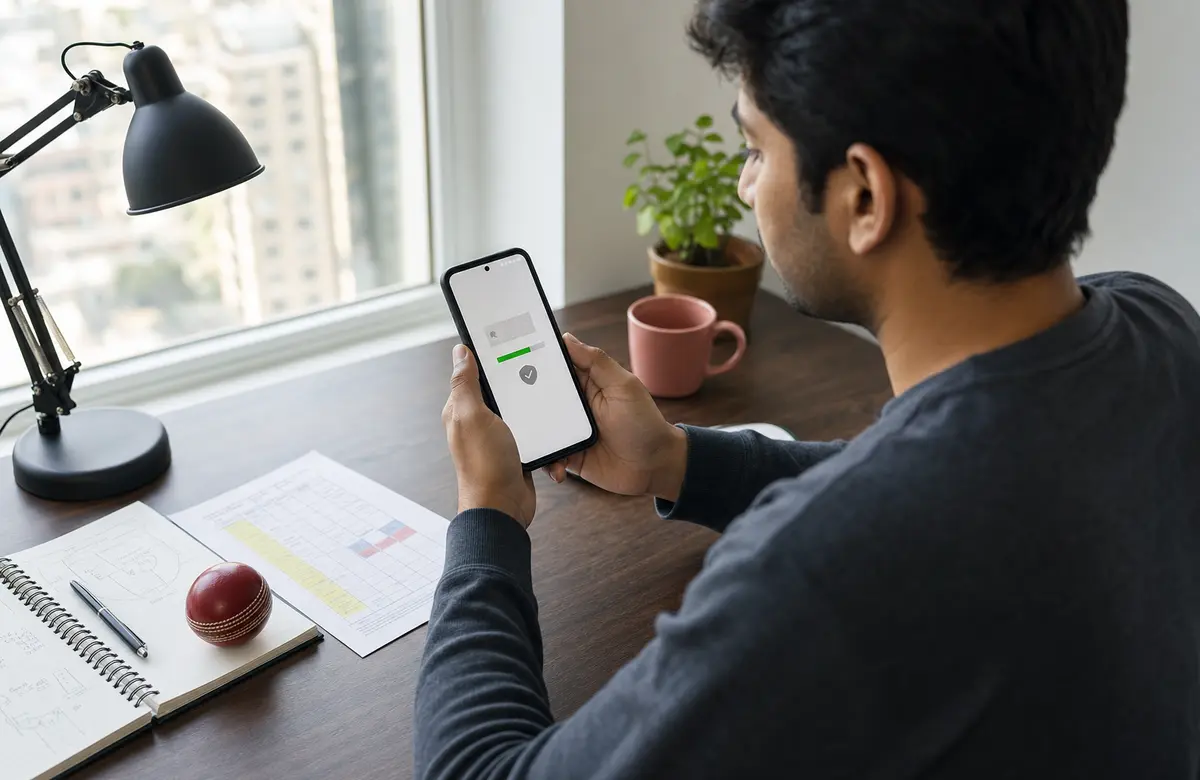
Android app installation review
  1. Open the in-app browser or your mobile browser and go to the official APK download page (linked from /apk-download/).
  2. Tap Download APK. The download size is around 40 MB.
  3. When the download completes, tap the file. Android will ask whether to allow installs from this source. Tap Settings, toggle Allow from this source, then return.
  4. Tap Install. The install takes about 10 seconds.
  5. Open the app, sign in with your registered mobile number, and authenticate with the OTP.

Verify the APK before installing: the SHA-256 fingerprint printed on /apk-download/ must match the one your browser downloaded. If they don't match, do not install — the file may have been tampered with.

Step-by-step · iOS

How to install the PlayerzPot iOS app

iOS app installation review
  1. Open the Apple App Store on your iPhone or iPad.
  2. Search for the official PlayerzPot app. Verify the publisher name matches what's printed on the official-website page.
  3. Tap Get and authenticate with Face ID, Touch ID, or your Apple ID password.
  4. Open the app, tap Sign in, and authenticate with OTP.

PlayerzPot is not on the Google Play Store — the Android install path is the APK page, not Play. If you see a Play listing, it's a third-party wrapper.

Frequently asked

Questions readers actually ask

  1. Is the APK safe to install?

    Verify the SHA-256 fingerprint on /apk-download/ matches the downloaded file. The fingerprint is a 64-character hex string.

  2. Why is the iOS app not on the App Store in some regions?

    Apple geo-restricts some real-money gaming apps. PlayerzPot shows in the Indian App Store. If you're outside India, the listing may be hidden.

  3. Do I need to register a new account after install?

    If you already have a PlayerzPot account, sign in with the same mobile number. If you're new, tap 'Sign up' inside the app and complete KYC before joining paid contests.

Install PlayerzPot now

Android users: head to /apk-download/ for the verified APK. iOS users: search the App Store.

Why the official store matters

Installing the PlayerzPot app from the official store is the safest path. Google and Apple review apps before listing them — the review process catches most malware and impostor apps before they reach the store. Phishing sites that copy the PlayerzPot brand can't replicate the official store listing.

For users who can't reach the Play Store — regional restrictions or older devices — the APK page is the alternative. Verify the SHA-256 of the file before installing. The signature should match the publisher certificate.

Install verification

Once installed, the app's publisher record (visible in the Play Store or App Store listing) should match the official PlayerzPot brand. Mismatched names or publishers are a red flag. The icon, the screenshots, and the description in the store listing should match the brand you expect.

After install, open the app and confirm the welcome screen matches the brand. The login flow should ask for your registered phone or email and an OTP — nothing else. Any additional prompts for credentials, payments, or personal details outside the standard flow are a red flag.

Storage management

PlayerzPot's app footprint is small, but the contest-data cache can grow with fixture volume. The app manages the cache automatically; if you need to free storage, the device's app-storage menu shows the current footprint. Clearing the cache is safe; the app rebuilds the cache on next launch.

For users on storage-constrained devices, the APK sideload route keeps the install footprint small and gives more control over permissions. Sideload also lets you pin an older version if a recent update breaks your device — though that's a temporary workaround.

After install: first launch

The first launch walks through onboarding — signup or login, KYC entry, and the first contest list. The onboarding is optional and can be skipped if you want to browse the editorial content first. Paid contests unlock after KYC verification completes.

The how-to-play page walks through the first five steps, and the customer-care page lists the support channels if onboarding runs into trouble. The first launch also surfaces the offers tab — that's where the sign-up bonus lives.

Cross-device sync & continuity

PlayerzPot's account syncs across devices. If you install the app on a second device and sign in with the same phone number, your squad history, wallet balance, and contest entries are visible on the new device. The sync is near-real-time — fixture reads and leaderboard updates land within seconds.

For shared devices, the sync model means signing out is essential. PlayerzPot doesn't support multiple-user-per-device profiles yet — a single login is the only state. Use the profile menu to sign out before passing the device along.

For tablet users, the app adapts to the larger screen but doesn't switch to a dedicated tablet layout. The mobile interface scales up — readable but not optimised. Most tablet users prefer the phone interface for squad builds.

Troubleshooting install failures

The most common install failure is an older Android version. PlayerzPot's APK requires Android 8.0 or above. Check the device's Android version in Settings → About phone → Android version. Devices below 8.0 cannot run the current app.

The second most common failure is insufficient storage. PlayerzPot needs roughly 80 MB of free space for the install and an additional 20 MB for the contest-data cache. Free up space by clearing old photos or unused apps.

For users on corporate-managed Android devices, the device administrator may have restricted installs from unknown sources. Sideloading requires the "Install unknown apps" toggle, which is locked down on some corporate profiles.

PLAY NOW